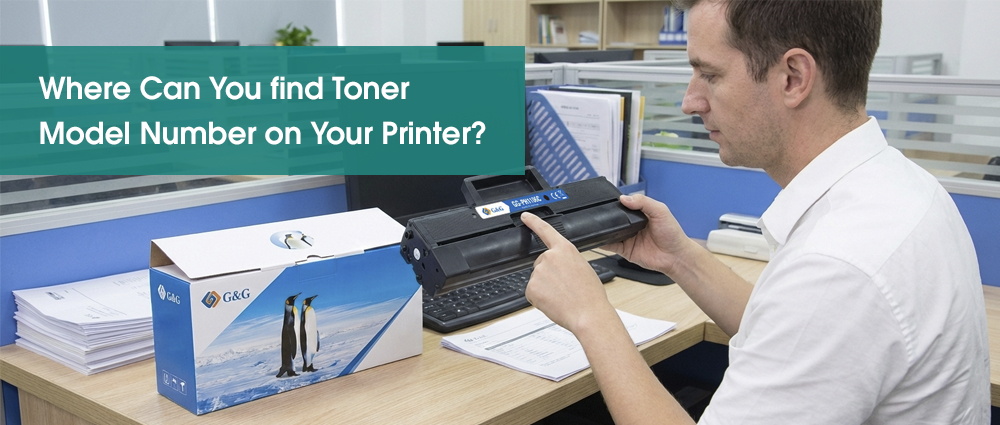
To identify the correct toner, look for a label on the cartridge currently inside your printer, check the sticker on the inside of the printer's front or top access door, or view the "Supplies" status in your printer’s software on your computer.
Finding your printer toner cartridge model doesn't have to be a stressful search. By knowing exactly what to look for, you can choose a reliable toner cartridge supplier.
Identifying your specific toner cartridge number allows you to bypass expensive branded products and instead find a high-quality compatible toner cartridge. These aftermarket toner cartridges are designed to give you the same crisp results at a fraction of the cost.
Let’s find that number together so you can secure a reliable compatible toner cartridge and print with total confidence.
Checking the Cartridge Itself
If you want the most accurate information, go straight to the source: the toner cartridge currently sitting inside your printer. Even if your printer isn't showing a specific model number on its screen, the cartridge almost always has it printed in bold letters.
Here is how you do it safely:
Open the Access Door: Locate the front or top panel of your printer and pull it open. This is the same door you use when clearing a paper jam.
Pull Out the Cartridge: Most printers have a small handle or a colored tab (often blue or green). Gently pull this toward you to slide out the toner cartridge.
Read the Label: Look for a large, bold alphanumeric code. Common examples look like "CF283A" or "TN660." This is your "Supply Identity."
While you have the cartridge out, look for the "yield" information. If you do a lot of printing, this is the perfect time to upgrade to a high yield toner cartridge. These look exactly like the standard ones but contain more toner powder inside, allowing you to print more pages before you replace it.
Once you have this number written down, you are no longer tied to one brand. You can easily find a toner cartridge supplier that offers a high-quality compatible toner cartridge—like those from G&G—which provides the same professional results as the original but at a much friendlier price point for your budget.
Looking Inside the Printer Access Door
Sometimes, your printer is out of toner and there isn't a cartridge inside to check. Or, perhaps the label on your old cartridge has faded or peeled off. Don't worry—most manufacturers include a "hidden map" right on the machine itself.
Open the front or top access door (the same one you opened in the previous step). Look closely at the plastic frame or the underside of the lid. You will often find a sticker or an embossed diagram that lists the specific printer toner cartridge models compatible with that machine.
This "cheat sheet" is incredibly helpful because:
It often lists the model numbers for both the black toner cartridge and the color units (Cyan, Magenta, Yellow). It ensures you don't buy the wrong version if there are multiple similar-looking cartridges on the market.
It helps you identify the correct toner cartridge replacement even if the printer is brand new and you’ve never changed the supplies before.
How to Use Your Printer Model Number
If your printer is completely empty and you don't have an old cartridge to look at. You can still find the right toner cartridge by using the model name of the printer itself. It tells a toner cartridge supplier exactly which parts fit inside. You can usually find the printer model name:
Once you have this, you can simply type it into a search bar. Any reputable store that wants to sell toner cartridges will have a search tool where you enter your printer model, and it will automatically show you the correct black or color set.
Choosing High-Yield and G&G Compatibles
Now that you know your model number, you have a choice to make. You can buy the standard version, or you can be a savvy "Print Pro" and look for a high yield toner cartridge.
In the industry, we often call these "XL" or "High Capacity" versions. They look exactly the same on the outside and fit into your printer the same way, but they are packed with more toner powder.
Better ROI: You might pay a little more upfront, but the cost per page is much lower.
Less Hassle: You won't have to change the cartridge nearly as often.
Unlike cheap, generic knock-offs, a G&G compatible XL toner cartridge is engineered with smart-chip technology. This ensures your printer recognizes it and provides accurate toner level alerts. Choosing G&G Image means you get professional, crisp prints for a fraction of what the printer manufacturer charges.