What is a Toner Cartridge?
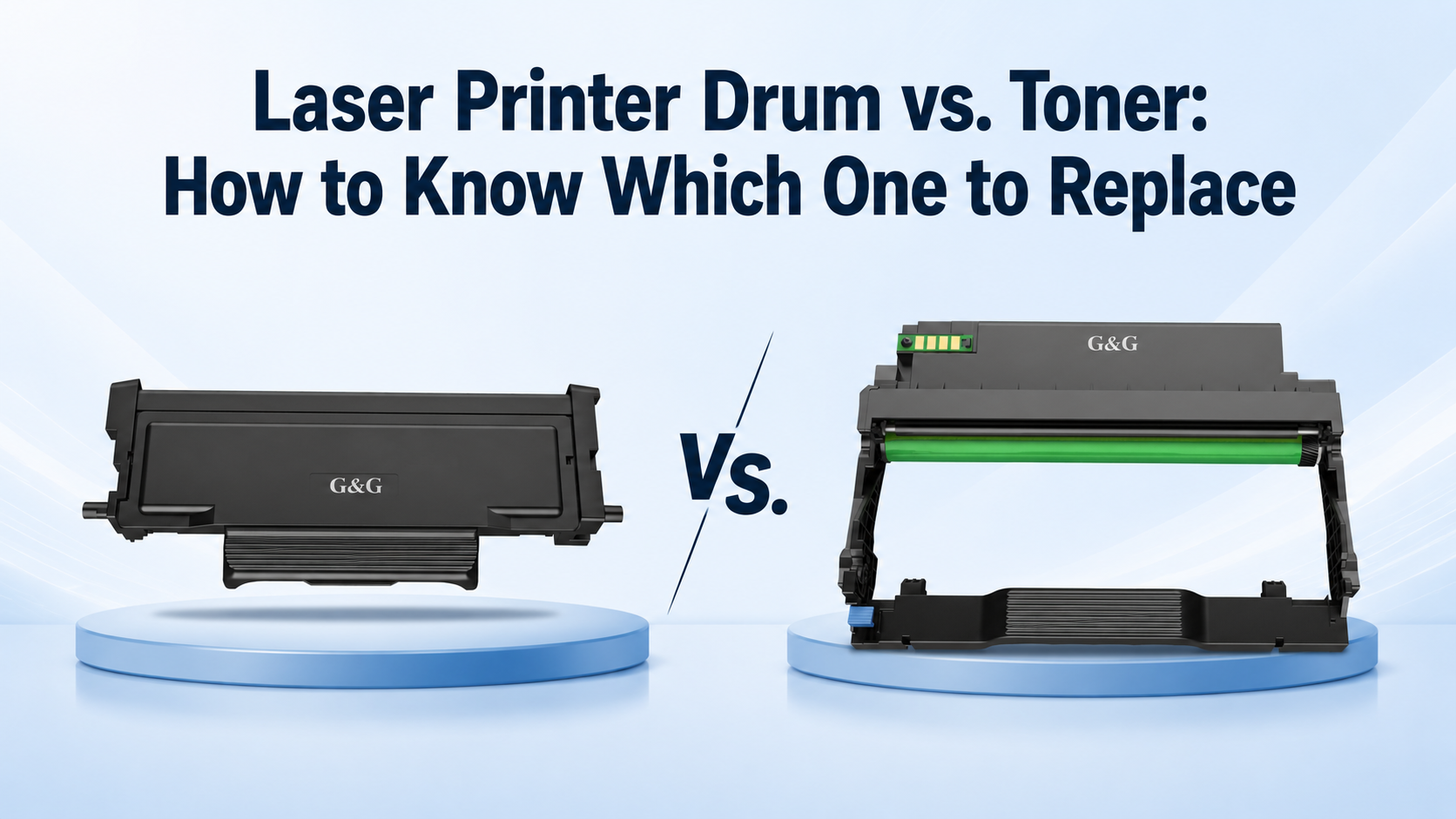
Unlike inkjet printers that use wet liquid ink, laser printers use a fine plastic powder called toner. Inside your printer, this cartridge stores that powder safely. When you hit print, the printer uses microscopic heat and pressure to melt the toner powder directly onto the paper, giving you crisp text and sharp images that never smudge right out of the printer.
What is a Laser Printer Drum?
The drum of laser printer systems is a shiny, electrically charged cylinder (usually green, blue, or dark grey) that spins rapidly inside your printer. As it spins, a laser beam draws your document onto the drum's surface using static electricity. This static attracts the toner powder from the cartridge and rolls it onto the paper.
Understanding the laser printer drum vs toner difference is simple: toner is just the ink powder, while the drum is the tool that places it on the page.
Symptoms of a Failing Toner vs. Worn Drum
Signs You Need a Toner Cartridge Replacement
When your prints start looking washed out, or you get a sudden warning light blinking at you from the control panel, it is usually time to look at your supplies. A failing or empty toner cartridge sends very distinct signals that are hard to miss once you know what to look for.
Signs You Need a Laser Printer Drum Unit Replacement
On the flip side, what happens when you have plenty of toner powder, but your documents still look messy? That is when you need a laser printer drum unit replacement. Unlike toner running out, a worn-out drum physical wears down over thousands of rotations, causing very specific physical flaws on your paper.
Repeating Spots or Dots: If you see a tiny dot or smudge that repeats down the page at the exact same distance every few inches, it means the drum's sensitive coating has a physical scratch or a speck of burnt-on toner.
Vertical Streaks or Lines: Thin black lines running straight down the page from top to bottom usually indicate that the cleaning blade inside the drum unit is failing or the drum surface is permanently scarred.
Ghosting Images: This happens when a faint, shadowy outline of your previous printed page shows up on the current page. It means the electrical charge on the drum is not resetting properly between rotations.
Troubleshooting and Care Guide for Drum Unit
Cleaning a Laser Printer Drum
Before you spend money on a brand-new part, you can often revive your current setup with a little routine care. Over time, stray toner powder and paper dust can stick to the cylinder, causing annoying smudges on your important documents. Cleaning a laser printer drum is a straightforward task if you follow the right steps.
First, always power down your machine and let it cool completely—laser printers get very hot.
Carefully take out the drum unit, keeping it away from bright desk lights or sunlight, because the sensitive coating on the drum can be damaged by strong light.
Take a clean, dry, lint-free microfiber cloth and gently wipe away any loose powder or dust.
If you spot stubborn, baked-on toner spots, you can lightly moisten the cloth with rubbing alcohol, taking care never to scratch the shiny surface.
Using a specialized laser printer drum cleaner approach keeps your prints spotless and pushes off the need for an early replacement.
Is It Time for Replacing a Laser Printer Drum Unit?
Even with meticulous cleaning, components eventually reach the end of their physical lifecycle. Every drum of laser printer devices has a rated page-yield limit programmed into its internal memory chip—often lasting anywhere from 10,000 to 30,000 pages depending on your machine size.
To check your status, print out a configuration or supply status page from your printer's menu screen. This report tells you the exact percentage of life remaining on your laser printer drum unit. If that number is sitting at 0% or your printouts still feature repeating defects after a thorough cleaning, your hardware has simply worn out mechanically. Knowing this helps you make a smart, proactive choice instead of guessing blindly when print quality drops.
Dealing with a sudden drop in print quality no longer has to be a guessing game. By understanding the simple differences between your toner cartridge and your drum unit, you can stop wasting money on the wrong replacements and fix print issues right at the source. Whether a quick wipe-down brings your old components back to life or it is time for a fresh upgrade, staying proactive keeps your home office or small business running smoothly and efficiently.
Explore the reliable, cost-effective selection of G&G toner cartridge and laser drum unit options today to get professional-grade results without the high price tag. Take control of your printing setup, keep your documents looking sharp, and make every page count.