One device. Ten surfaces. Zero setup time.
That's the promise of the handheld inkjet printer — a compact, cordless tool that puts codes, labels, and logos directly onto almost any surface, the moment you need it. No printer station, no adhesive labels to peel and stick, no waiting on a batch run.
From warehouse floors to food packaging lines, medical stockrooms, textile workshops, and job sites, a handheld inkjet label printer has become one of the most versatile tools in operations nowadays.
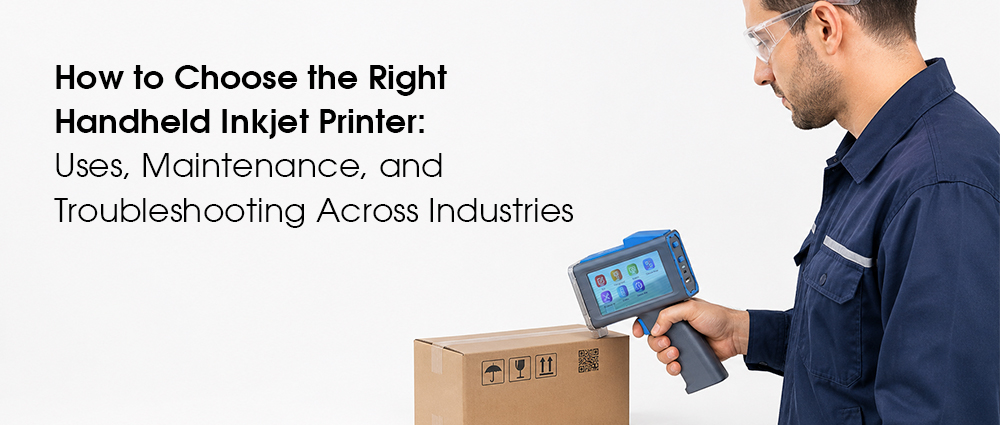
What Is a Handheld Inkjet Printer?
A handheld inkjet printer is a battery-powered, wireless device that prints text, barcodes, QR codes, logos, and images directly onto a surface — without a print bed, paper tray, or fixed mounting. Instead of feeding material through a printer, the handheld label printer gun moves across the material.
Unlike a desktop printer, which only handles paper, a handheld unit is built to work on flat or curved, porous or non-porous surfaces: cardboard, plastic, foam, glass, metal, fabric, leather, and even concrete, depending on the model and ink type.
Key features to expect from a quality handheld inkjet printer:
• Lightweight, one-hand operation
• Touchscreen or mobile app control
• Rechargeable battery for cordless use
• Fast-drying, smudge-resistant ink
• Multi-surface ink compatibility
Handheld vs. Traditional Inkjet Printing
Feature | Handheld Inkjet Printer | Traditional Desktop Printer |
Portability | Fully mobile, battery-powered | None— fixed to a desk and outlet |
Surfaces supported | Cardboard, plastic, metal, fabric, glass, concrete | Paper only |
Setup time | Seconds — power on and print | Minutes— load paper, connect, queue |
Best suited for | Warehouses, production lines, job sites, retail | Offices and home documents |
Control | Touchscreen or companion app | PC-controlled |
How a Handheld Inkjet Printer Works
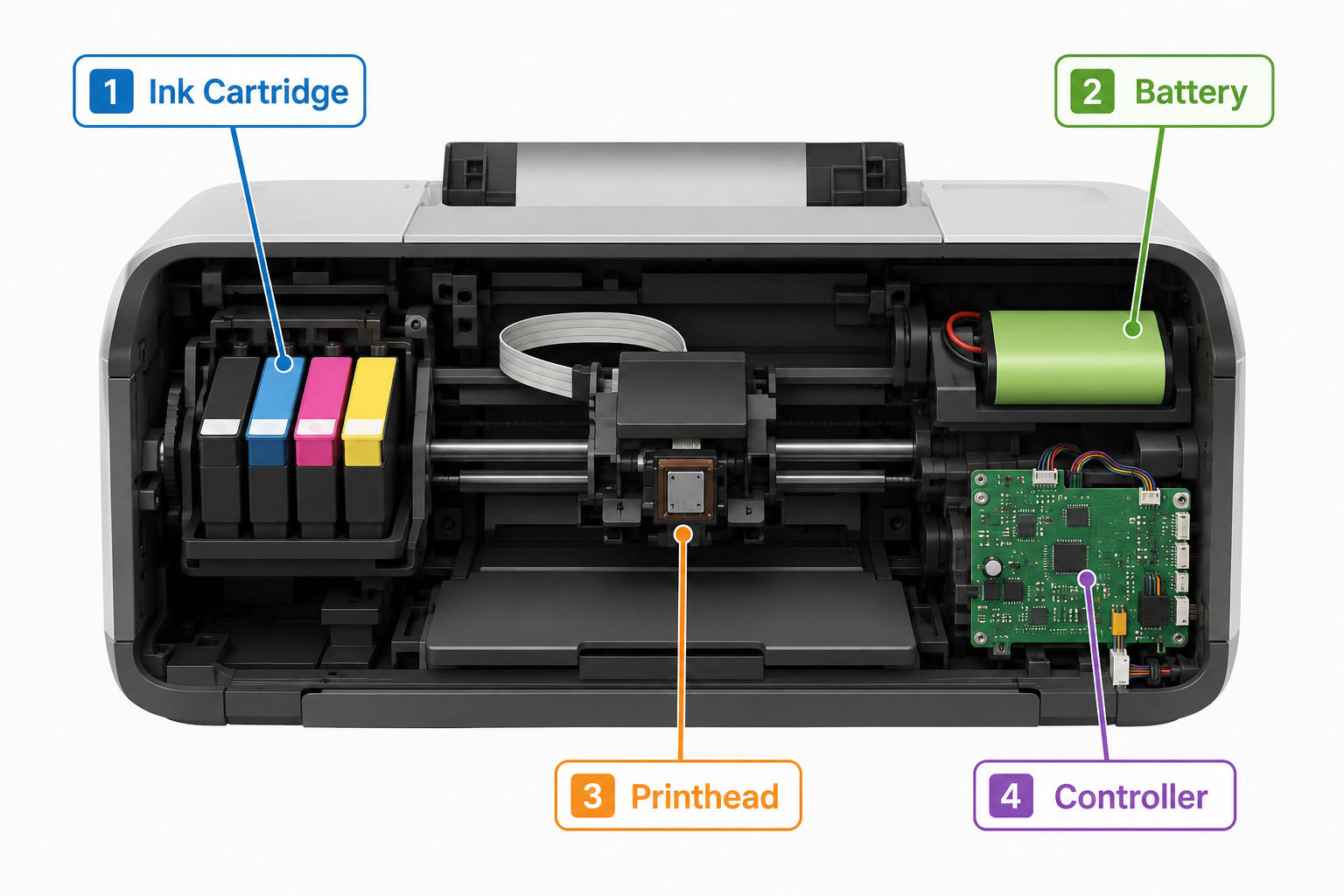
Every handheld inkjet printer gun, regardless of brand, relies on four core components working together:
• Ink cartridge — stores the ink and is swapped based on the surface being printed. Water-based ink suits absorbent materials like cardboard and paper; quick-drying, solvent-based ink is needed for non-absorbent surfaces like plastic, metal, and glass.
• Battery — a rechargeable cell that powers hours of cordless printing.
• Printhead — the nozzle array that fires precise micro-droplets of ink to form text, codes, or graphics as the device moves.
• Controller — a touchscreen or connected app used to set up print content, size, and layout before printing.
Newer models take some of the guesswork out of this process. G&G's latest release, the GG-HH1001C, for example, uses auto-ink detection to sense whether it's printing on an absorbent or non-absorbent surface and automatically adjusts between water-based and quick-drying ink — removing a step operators used to have to manage manually. You can read more about how this works in G&G's announcement of the GG-HH1001C handheld inkjet printer.
Printing in five steps:
1. Power on the device via the touchscreen or button.
2. Select content — text, barcode, QR code, date code, or logo — through the built-in interface or paired app.
3. Position the printhead close to and parallel with the target surface.
4. Trigger the print while gliding the device steadily across the surface; ink is sprayed as micro-dots to form the design.
5. Let the ink cure — most fast-drying inks set in seconds without smudging.
What Are the Main Uses for a Handheld Inkjet Printer?
A handheld inkjet printer earns its keep because it solves the same problem in very different environments: getting accurate, permanent information onto a surface fast, without taking that surface to a printer. Below are five of the most common jobs it's asked to do, organized by the material involved.
How a Handheld Inkjet Printer Works for Food Outer Packaging Labelling
Foam & Plastic
Food packaging lines move fast, and labels can't slow them down. A handheld barcode label printer printing lets operators mark batch numbers, production dates, expiry dates, and barcodes directly onto foam trays, shrink-wrap, and plastic outer packaging as products move down the line — no pre-printed label stock required, and no risk of applying the wrong label to the wrong batch.
Foam trays are porous and absorbent, while plastic film and shrink-wrap are non-absorbent — so this application often calls for two different ink types on the same line. Water-based ink soaks in cleanly on foam, while plastic film needs quick-drying, smudge-resistant ink that cures almost instantly on contact so packaging can be stacked and shipped without smudging.
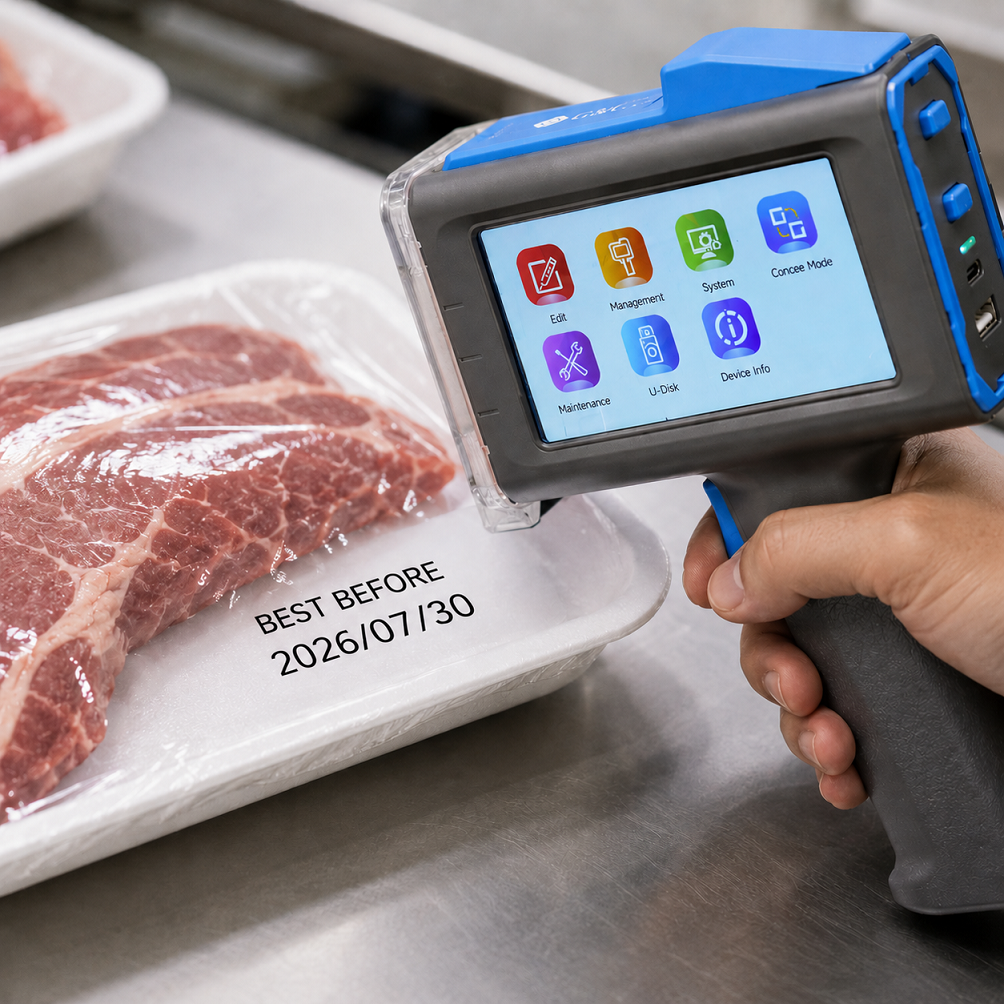 G&G's auto-ink detection was designed to solve surface-switching challenge— the printer recognizes the non-absorbent surface and applies the right ink automatically.
Typical uses on food outer packaging:
• Production and expiry dates
• Batch and lot numbers for traceability
• Barcodes and QR codes for inventory scanning
• Allergen or handling icons
How to Set Up a Handheld Inkjet Label Printer for Warehouse Labeling
Cardboard
Cardboard is where most handheld inkjet printers spend the bulk of their working life. On a packing line, a handheld inkjet printer gun replaces pre-printed labels entirely — barcodes, SKU numbers, and shipping information go straight onto the box as it's sealed.
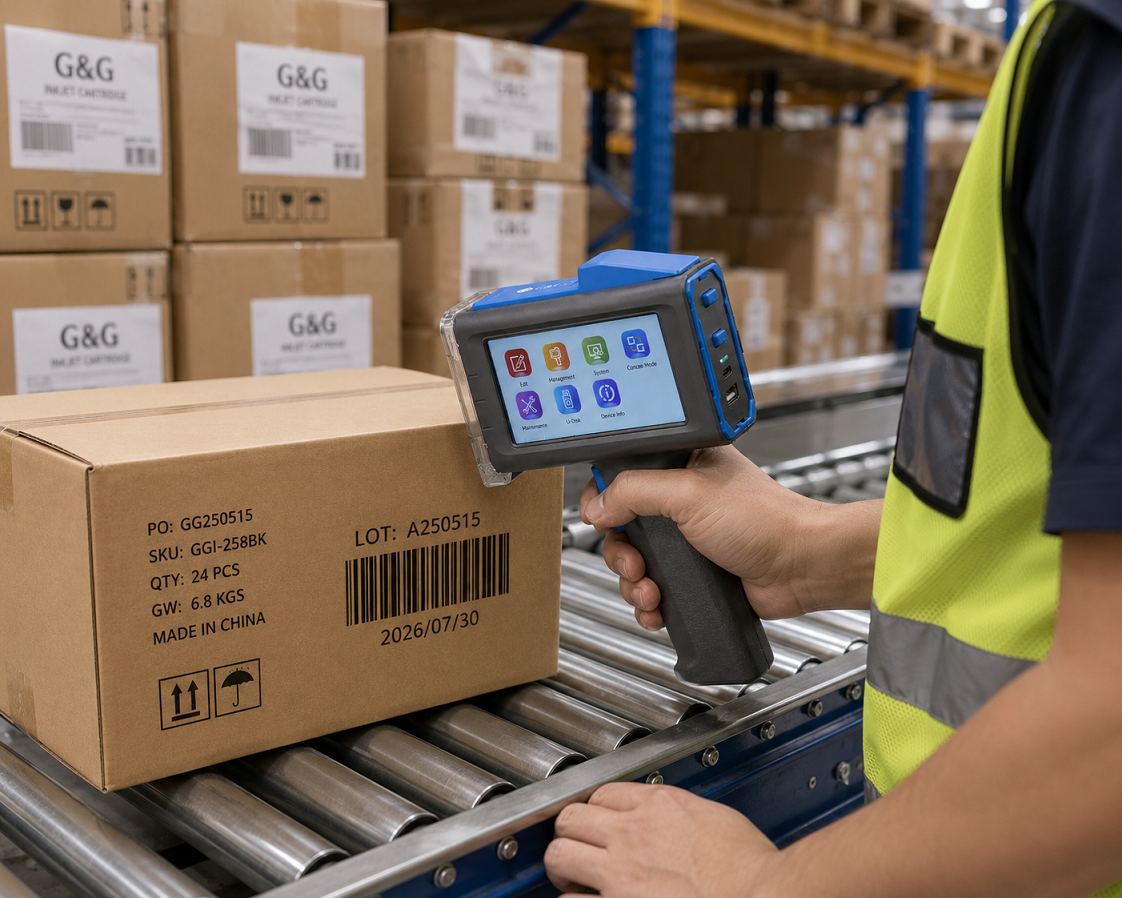 Setting up for warehouse labeling:
1. Charge the device fully before the shift and confirm the ink cartridge is seated correctly.
2. Connect to your inventory or warehouse management system via Bluetooth or Wi-Fi so codes stay synced automatically.
3. Load or create your label template — barcode, lot number, destination code — in the companion app.
4. Test-print on a scrap piece of cardboard to confirm resolution and alignment before starting the run.
5. Print directly onto each carton as it moves through the packing station, keeping the printhead flat against the surface.
Because cardboard is absorbent, water-based ink works well here and dries cleanly without special handling. A wireless connection is worth prioritizing for this use case specifically, since it keeps printed codes matched to live inventory data without manual re-entry.
How a Handheld Inkjet Printer Uses Coding and Marking to Keep Medical Supplies Safe and Organized
Plastic & Glass
In healthcare and lab environments, mislabeled supplies aren't just inconvenient — they're a safety issue. A handheld inkjet label maker is used to mark lot numbers, expiration dates, and sterilization codes directly onto plastic vials, glass containers, and packaging trays, keeping every unit traceable back to its batch.
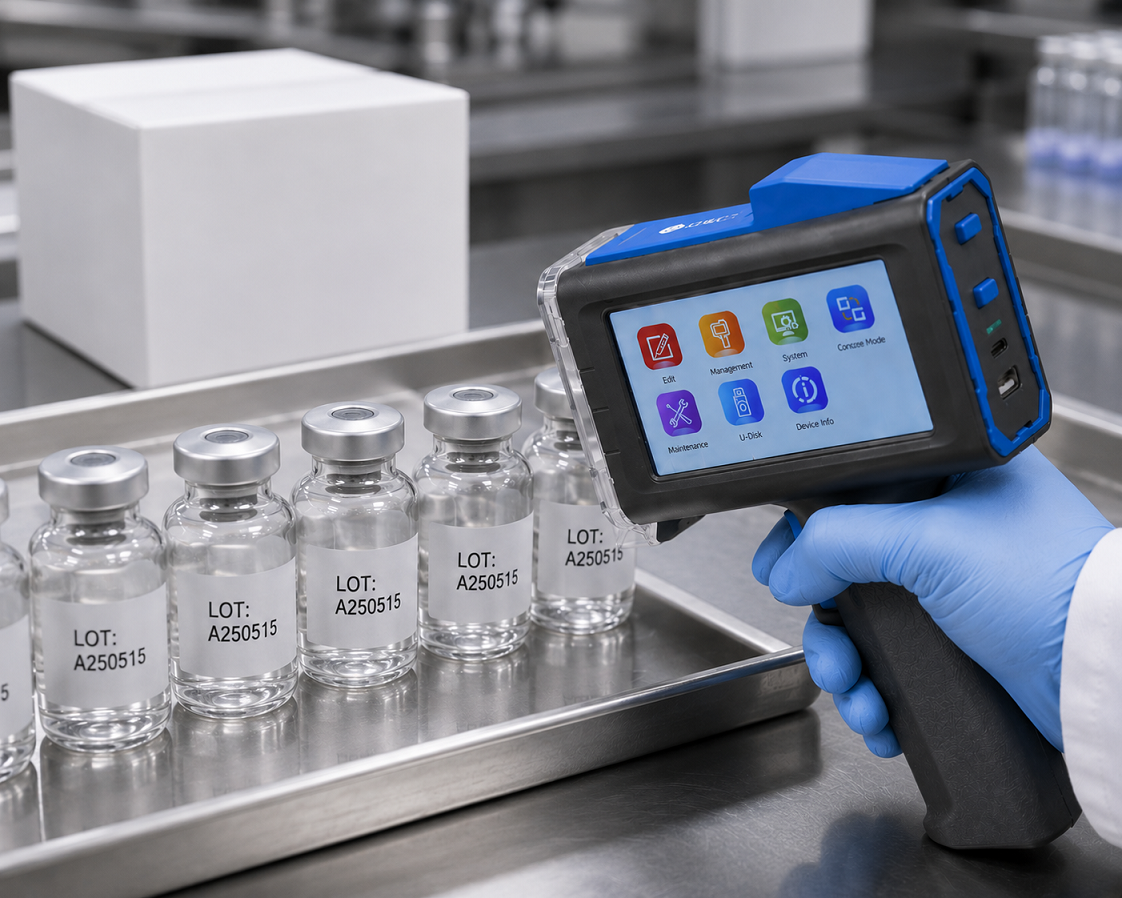 Because plastic and glass are non-absorbent and often need to withstand handling, refrigeration, or sterilization, quick-drying ink formulated for smooth surfaces is essential — a smudged expiry date on a glass vial isn't a cosmetic problem, it's a compliance one.
Common medical and lab marking needs:
• Lot and batch numbers for recall traceability
• Expiration and sterilization dates
• Barcode identifiers linked to inventory systems
• Storage handling icons (refrigerate, fragile, etc.)
How Handheld Inkjet Printers for Clothes Track Carpets and Custom Furniture Materials
Fabric & Leather
Textile and furniture production has its own marking challenges — fabric flexes, leather has texture, and carpets have deep pile. A handheld inkjet printer built for fabric and leather uses specialized ink and, on some models, a roller sensor that reads the surface as it moves, allowing accurate printing even on slightly curved or uneven materials.
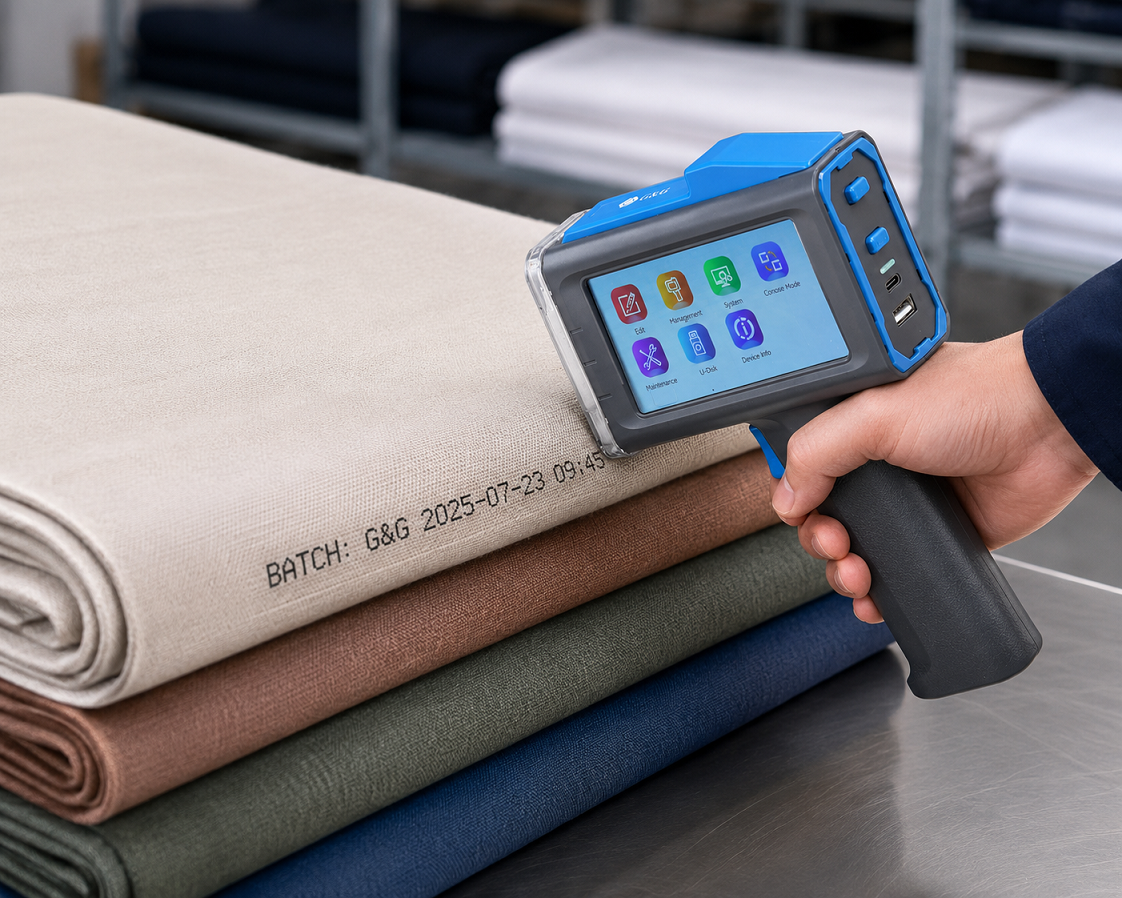 This makes it useful for:
• Care labels and size/style codes printed directly onto garments
• Roll and batch identification on carpet backing
• Custom branding, model numbers, or client names on furniture upholstery and leather goods
Unlike paper labels sewn or glued onto fabric, direct printing won't peel, fray, or fall off during handling, which matters for goods that go through multiple stages of cutting, assembly, and shipping before reaching a customer.
How Handheld Inkjet Printers for Metal Mark Concrete and Trace Supplies Right on the Job Site
Metal & Glass
On a construction or industrial site, there's no packing station and no clean indoor surface to work from. Handheld industrial inkjet printers are built to handle that reality — rugged enough to mark directly onto concrete, metal beams, pipes, cables, and glass panels outdoors, in dust, and in temperature swings.
This use case demands the most from a device: a durable, ergonomic grip for all-day handling, ink that adheres to rough or cold surfaces, and a battery that lasts a full shift without recharging.
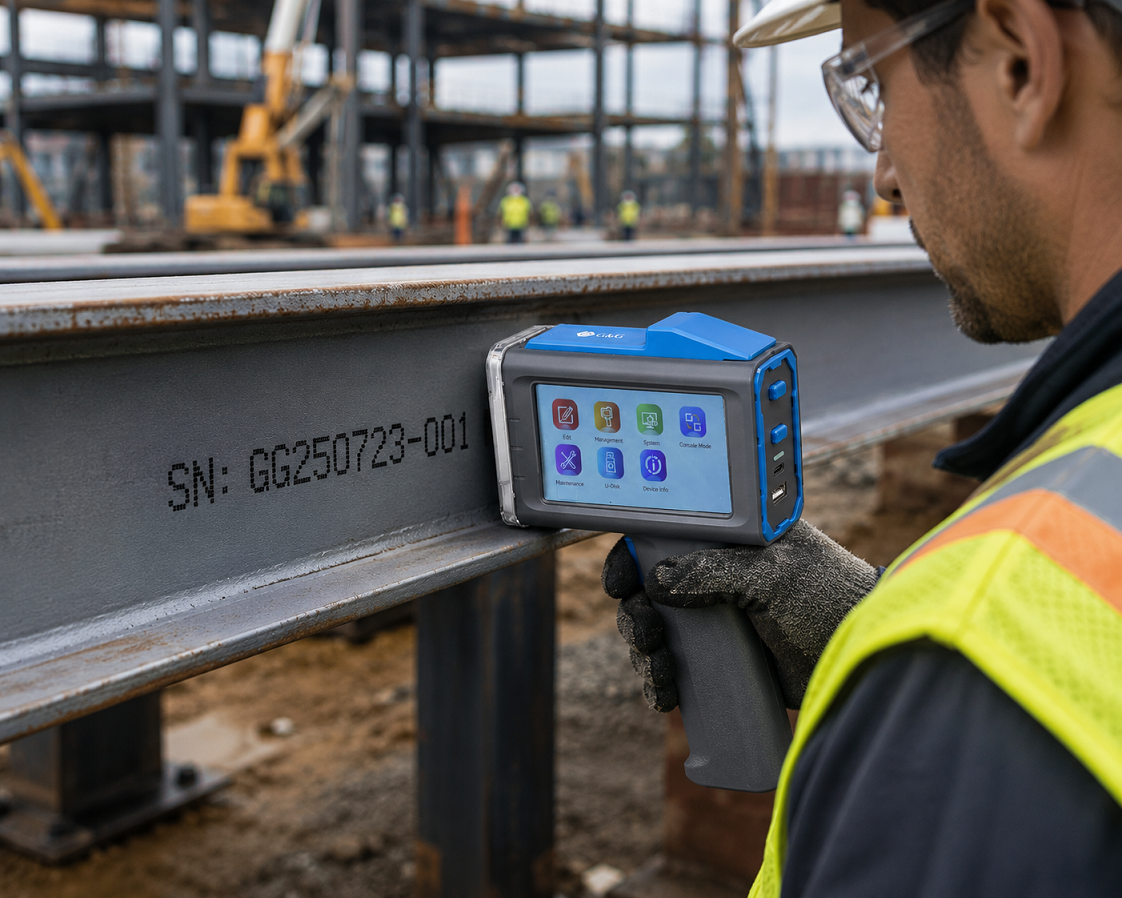 G&G's GG-HH1001C was built with this kind of use in mind — it's rated for print speeds of 60 meters per minute, resolutions up to 300 dpi, and roughly 10 hours of battery life on a single charge, with an ergonomic leather-grain grip designed for extended industrial handling. Full specifications are available on G&G Handheld Inkjet Printer.
Typical job-site marking tasks:
• Batch and pour dates on concrete elements
• Serial numbers on structural metal and machined parts
• Cable, pipe, and conduit identification
• QR codes linking materials to inspection or compliance records
Use Case Summary
Application | Common Materials | Ink Type Needed | Priority Feature |
Food outer packaging | Foam, plastic film | Quick-drying, water-based | Auto-ink detection, swift surface-changing |
Warehouse labeling | Cardboard | Water-based | Wireless/inventory sync |
Medical supplies | Plastic, glass | Quick-drying | Precision, traceability |
Textiles & furniture | Fabric, leather, carpet | Textile-formulated | Curved/uneven surface handling |
Job site & industrial | Concrete, metal, glass | Quick-drying, adhesive | Durability, battery life |
Maintenance Tips for Handheld Coding Equipment
A handheld inkjet coder is built for rough, daily use, but a few simple habits go a long way toward keeping print quality sharp and avoiding downtime.
Daily care and storage
• Wipe the printhead and housing after each shift to prevent ink build-up.
• Store the device in a cool, dry place, away from direct sunlight or extreme temperatures, to protect the printhead and cartridge.
• Charge the battery fully between shifts rather than letting it run flat repeatedly, to preserve long-term battery health.
Ink cartridge handling
• Always install and remove cartridges with clean, dry hands to avoid contaminating the ink chamber.
• Match the ink type — water-based or quick-drying — to the surface you're printing on, or rely on auto-ink detection where available.
• Don't leave a cartridge in an idle printer for extended periods without occasional test prints; ink can dry in the nozzle.
Software and firmware
• Keep the device's software or companion app updated so it stays compatible with new templates and connectivity features.
• Back up frequently used label templates before major updates.
Troubleshooting Common Issues with a Handheld Label Device
Most problems with handheld coding equipment come down to a handful of predictable causes. Here's how to diagnose and fix the most common ones.
Issue | Likely Cause | Quick Fix |
Clogged or blocked printhead | Dried ink or debris in the nozzle | Run the self-cleaning function, or gently wipe with a soft, lint-free cloth |
Ink smudging or fading | Wrong ink type for the surface, or low ink level | Match ink to surface (water-based vs. quick-drying); check and replace cartridge |
Faint or inconsistent print | Printhead held too far from the surface, or moved too fast | Keep the printhead close and parallel; glide at a steady, even pace |
Device won't power on | Battery depleted or connection fault | Fully recharge; check charging cable and port for damage |
Print misaligned or cut off | Incorrect template settings | Re-check label size and layout in the app before printing; run a test print |
Wireless sync failing | Connectivity or app version mismatch | Reconnect Bluetooth/Wi-Fi; confirm the app and firmware are both updated |
If an issue persists after basic troubleshooting, it's worth checking the manufacturer's support documentation for your specific model — settings, ink compatibility, and reset procedures can vary between devices.
Final Thoughts
A handheld inkjet printer earns its place by doing one thing exceptionally well: putting accurate, durable information exactly where it's needed, on almost any surface, without slowing anyone down. Whether that's a date code on a food tray, a barcode on a warehouse carton, a lot number on a medical vial, or a serial number stamped straight onto a steel beam, the right device — matched to the right ink and the right surface — turns a multi-step labeling job into a single pass.
If you're ready to see how this works in practice, take a closer look at G&G Handheld Inkjet Printer, or read the full story behind the latest release in G&G's press announcement on the GG-HH1001C.