Everything IT buyers, dealers, and resellers need to know about MPS and how it works, what it costs, and how to choose software that manages every printer brand from one screen.
Quick Answer
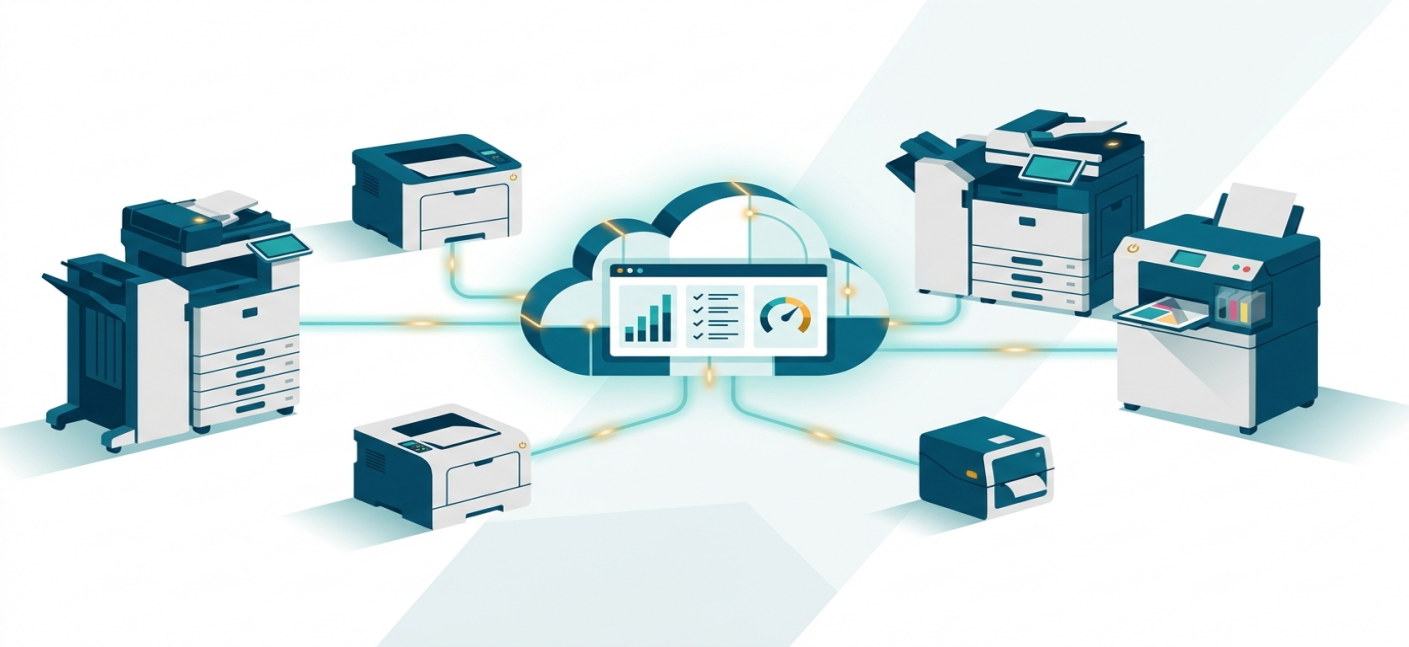
Managed Print Services (MPS) is a contracted service where a third-party provider takes over the management of a company's printers, copiers, and supplies — monitoring toner levels, dispatching maintenance, tracking usage, and billing on a predictable, usually per-page, basis. The goal is to cut print costs, reduce IT workload, and give organizations one point of accountability for their entire print fleet instead of managing each device separately.
If you're evaluating MPS as a business, or you're a dealer trying to deliver MPS to your customers, the software behind the service matters as much as the service itself. That's the part most guides skip and it's where this one goes further.
What Does MPS Stand For?
MPS stands for Managed Print Services: the active management and optimization of an organization's document output devices printers, copiers, and multifunction printers (MFPs) along with the business processes around them (supplies, maintenance, security, and reporting).
Instead of a company buying printers, tracking toner, and fielding “the printer's broken again” tickets internally, an MPS provider takes on that operational load under a single contract.
How Does Managed Print Service Work?
A typical MPS engagement follows four stages:
Assessment. The provider audits the current fleet how many devices, what brands, how much is printed, what it currently costs per page. This baseline is what every future savings claim gets measured against.
Right-sizing. Based on the audit, the provider recommends consolidating, replacing, or redistributing devices to match actual usage instead of historical purchasing decisions.
Ongoing management. Supply levels, device health, and page counts are monitored continuously usually through software running on the network, not by someone physically checking each machine.
Reporting and billing. The organization gets visibility into cost-per-page, device utilization, and waste, billed on the terms defined in the contract.
The software in stage 3 is doing the real work of MPS. That's the layer this article focuses on.
MPS Billing Models: How Pricing Actually Works
Before comparing providers or software, it helps to know what you're pricing. There are four common models:
Billing Model | How It Works | Best For |
Cost-Per-Page (CPP) | A flat fee per printed page, usually split into mono and color rates. Covers hardware, supplies, and service in one number. | Organizations that want predictable, volume-tied costs |
Toner/Ink Only | Customer pays for consumables only; service and hardware are separate or self-managed. | Businesses with their own IT/maintenance capability |
Service Only | A flat fee covers maintenance and support; the customer supplies their own toner. | Organizations with existing supply contracts |
Per Device | A fixed monthly fee per printer, which may bundle leasing, toner, and maintenance depending on the contract. | Fleets with predictable, stable device counts |
Most mid-size and enterprise contracts default to Cost-Per-Page because it ties cost directly to actual usage rather than estimates but the right model depends on how centralized your printing already is.
Device Management Software vs. Print Management Software: The Distinction Most Guides Skip
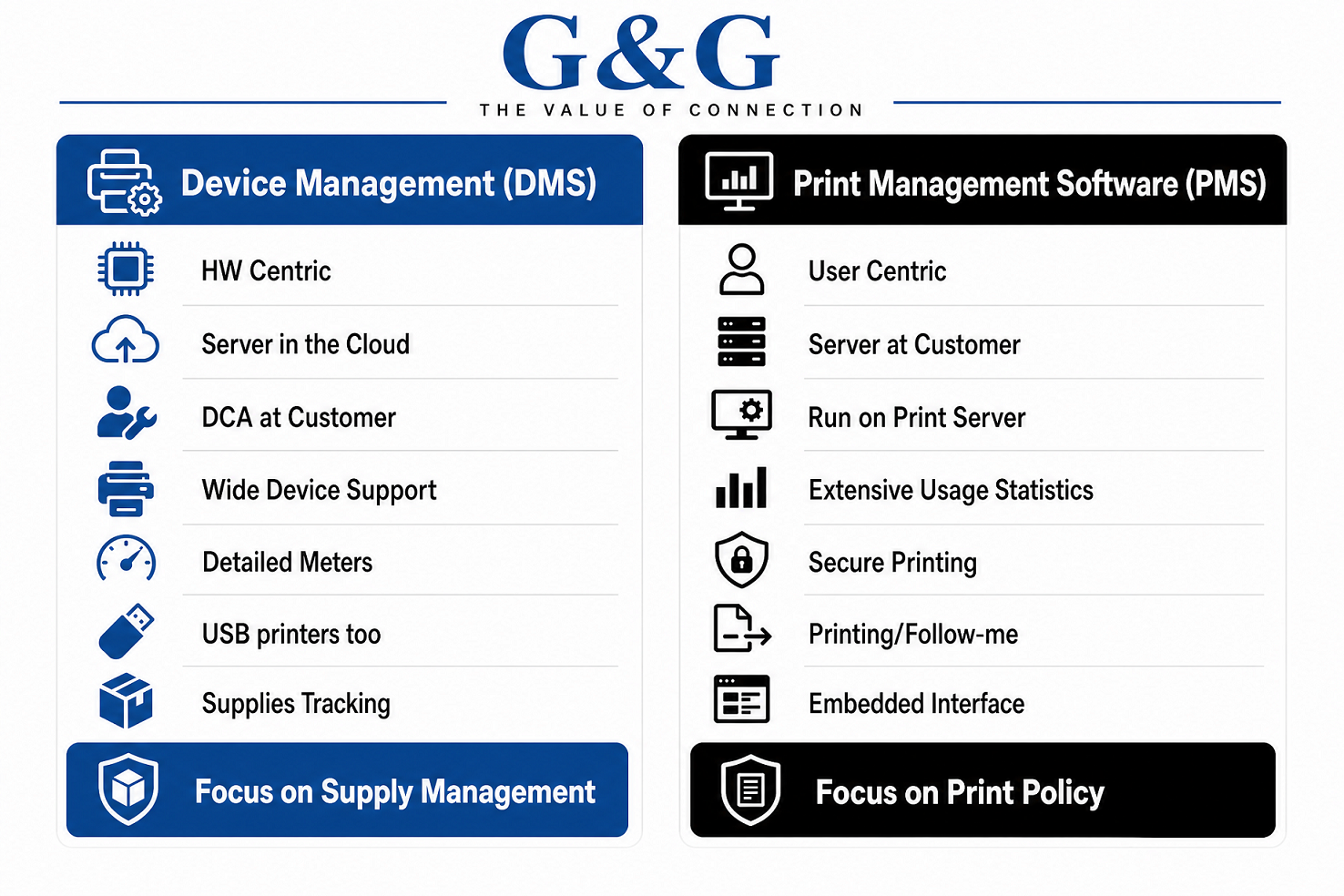
This is where MPS gets confusing, because “MPS software” isn't one thing. There are two categories, and mixing them up leads to buying the wrong tool.
| Device Management Software (DMS) | Print Management Software (PMS) |
What it tracks | Supplies levels, print alerts, usage/pages, efficiency and billing reports, savings | Everything DMS does, plus the print server itself |
What it controls | Monitoring only — it watches the fleet | Access control, Follow-Me printing, print policies, quotas, rebilling |
Who typically uses it | Dealers and resellers managing customer fleets remotely | Corporate IT teams controlling internal print behavior |
Typical cost structure | Often bundled at no extra cost by the MPS software provider | Often a licensed platform with per-seat or onboarding fees |
If your goal is fulfilling supplies and billing accurately across customer fleets (the dealer/reseller use case), you need a DMS. If your goal is controlling who prints what, where, and how much inside one organization (the corporate IT use case), you need a PMS — or both, depending on scale.
Most MPS explainer content treats “MPS software” as a single category. It isn't, and buyers who don't know the difference end up paying for control features they don't need, or missing monitoring features they do.
The Problem With Single-Brand MPS Tools
Here's the gap in how most OEMs approach MPS: their software only manages their own printers.
HP has its own fleet tool. Kyocera has its own. Brother's Managed Print Services program is built around Brother's own A4 printer rental fleet. That works fine if every device in a customer's office is the same brand — but almost no real-world office fleet is single-brand. A typical SMB or mid-market customer has a mix of HP, Canon, Epson, Brother, and Kyocera devices acquired over a decade of separate purchasing decisions.
For a dealer or reseller managing multiple customers, that means running several different OEM platforms side by side just to get a complete picture of one client's fleet a login, a report format, and a billing process per brand. It doesn't scale.
This is the specific problem NDMS (Ninestar Device Manage Software) by G&G was built to solve.
Introducing NDMS by G&G: MPS Software Built for Mixed Fleets
G&G Image Global is an ISO-certified printer consumables brand based in Zhuhai, widely regarded as the world's most important cartridge manufacturing hub, and its products are trusted by more than 200 million consumers across 170+ countries for OEM-level quality.
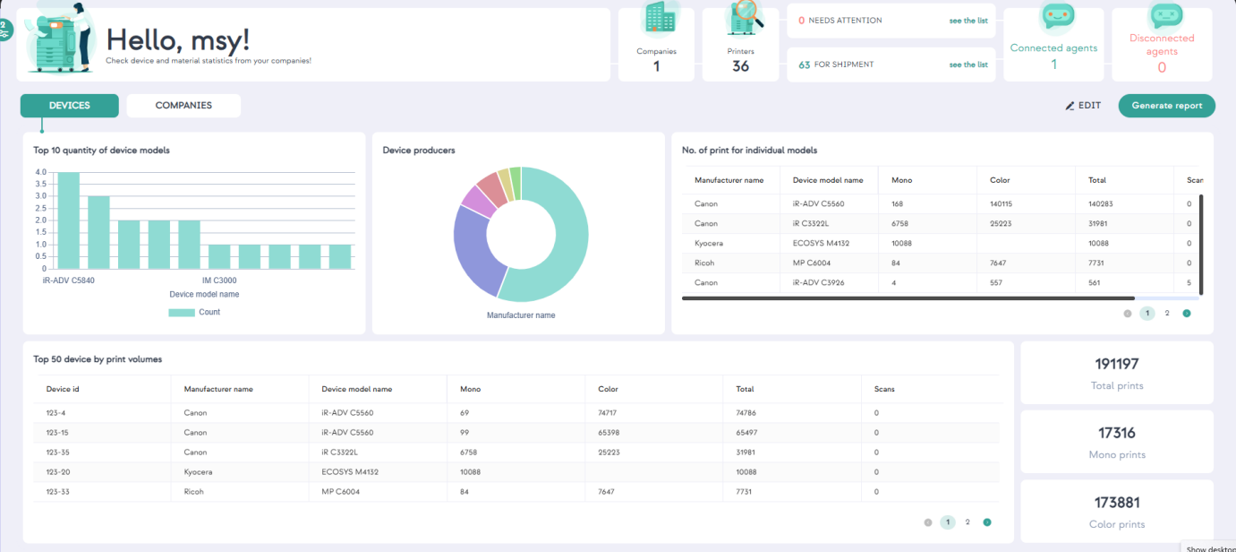
NDMS is G&G's cloud-based device management software, purpose-built for dealers, resellers, and MPS providers who manage customer printer fleets that mix multiple brands. Rather than logging into a separate console for every OEM, NDMS gives you one dashboard for the whole installed base.
Feature | What It Does |
Multi-brand compatibility | Manages any printer that is SNMP (network) or PJL (USB) compliant — not limited to one OEM's device line |
Automatic device discovery | Detects and registers connected devices on the customer network without manual entry |
Real-time supply monitoring | Tracks toner/ink levels and schedules replacement orders before a device runs out |
Predictive alerting | Sets alert thresholds by remaining percentage or by predicted days-until-empty, adjustable per device |
Misuse/waste protection | Flags cartridges swapped between devices or replaced well before they're empty, and can block the resulting supply order |
Maintenance ticketing | Routes fuser/belt end-of-life and jam alerts to a maintenance queue, with a repaired-status tracker |
Multi-site management | Supports unlimited customer sites, with optional floor-plan mapping to place devices visually |
Consolidated reporting | Billing, usage, efficiency, and savings reports across every customer and every brand in one place |
Flexible billing | Invoice by cost-per-page (mono/color/scan, with optional free-page quotas) or by supplies delivered |
API access | Documented Web Service API to connect NDMS data into ERP or warehouse management systems |
Branded customer access | Customize the portal to your business's branding, and give customers view-only access to their own reports |
Security and Data
NDMS operates in the cloud (Microsoft Azure data centers, regional hosting) rather than as on-premise software, with device data transmitted over HTTPS. Only a lightweight agent is installed on the customer's network no software is required at the dealer's own site. Importantly, NDMS collects data about the device (model, serial number, supply levels, counters, alerts) — it does not collect information about users or the content of print jobs, which matters for customers with document confidentiality requirements.
Getting Started
Register for a free trial on the NDMS portal available for partners which provisions licenses to manage a batch of devices for a limited trial period.
Install the lightweight agent on the customer's network to begin automatic device discovery.
Run an online demo using the customer's own live data.
Define a pilot customer typically a mid-size fleet with mixed brands and meaningful supply volume to prove out the model before scaling.
Set cost-per-page or per-supply billing and go live.
G&G has also run promotional programs offering extended free access to NDMS beyond the initial trial for qualifying partners worth asking your G&G account contact about current availability, since terms are updated periodically.
NDMS vs. Single-Brand OEM Tools: At a Glance
| NDMS (G&G) | Single-Brand OEM MPS Tool |
Brand coverage | Any SNMP/PJL-compliant device, any brand | Typically that OEM's devices only |
Built for | Dealers/resellers managing multiple customers | End-customer fleets of one brand |
Onboarding cost | No extra cost for the DMS layer | Often a paid onboarding/licensing fee |
Reporting | Consolidated across all brands and customers | Siloed per platform if fleet is mixed-brand |
API/ERP integration | Documented API included | Varies by OEM |
Deployment | Cloud-hosted, lightweight network agent | Varies — often tied to that OEM's ecosystem |
The practical takeaway: if a fleet is genuinely single-brand end to end, an OEM's own tool can work fine. The moment a fleet mixes brands — which describes most real offices — a platform built for multi-brand management is the one that scales without adding logins.
Is Managed Print Services Worth It?
For most mid-size and larger print environments, yes the value case rests on three things:
Time recovered. IT and office staff stop handling toner reorders, printer troubleshooting, and vendor calls.
Cost visibility. Cost-per-page billing turns a vague, unpredictable line item into a number that's tied directly to usage and easy to forecast.
Reduced waste. Predictive supply monitoring and misuse detection (like NDMS's early-swap flagging) prevent the two most common sources of MPS waste: over-ordering and premature cartridge replacement.
For dealers and resellers specifically, the calculus is different: MPS converts a one-time hardware or consumables sale into a recurring, contract-based relationship — which is a materially better business model than transactional selling in a market where consumables margins are under constant pressure.
Frequently Asked Questions
What does MPS stand for?
MPS stands for Managed Print Services a contracted service where a provider manages an organization's printers, supplies, and related processes.
What is the difference between MPS software and print management software?
MPS/device management software monitors a fleet (supplies, usage, alerts, billing). Print management software adds control features on top access control, Follow-Me printing, quotas, and rebilling. Some providers offer both; others specialize in one.
Can one platform manage printers from different brands?
Yes, if the platform is built for it. NDMS by G&G manages any SNMP (network) or PJL (USB) compliant device regardless of brand, which is the main gap in most single-OEM MPS tools.
How much does managed print services cost?
It depends on the billing model. Cost-per-page is the most common, typically split into mono and color rates, with the underlying device software often included at no extra cost when bundled with an MPS supplies program.
Is NDMS free?
NDMS trials are available at no cost for a limited period and a capped number of devices through G&G's regional trial portals. G&G has also run promotional extended-access offers for partners — confirm current terms with a G&G representative, as trial length and licensing terms are updated periodically.
Who is NDMS designed for?
NDMS is built primarily for dealers, resellers, and MPS providers managing multiple customer fleets as opposed to platforms designed for a single company's internal IT team.
Managing a mixed-brand printer fleet across multiple customers? See NDMS in action with a free trial register in minutes and start monitoring up to 100 devices. Talk to a G&G MPS specialist →