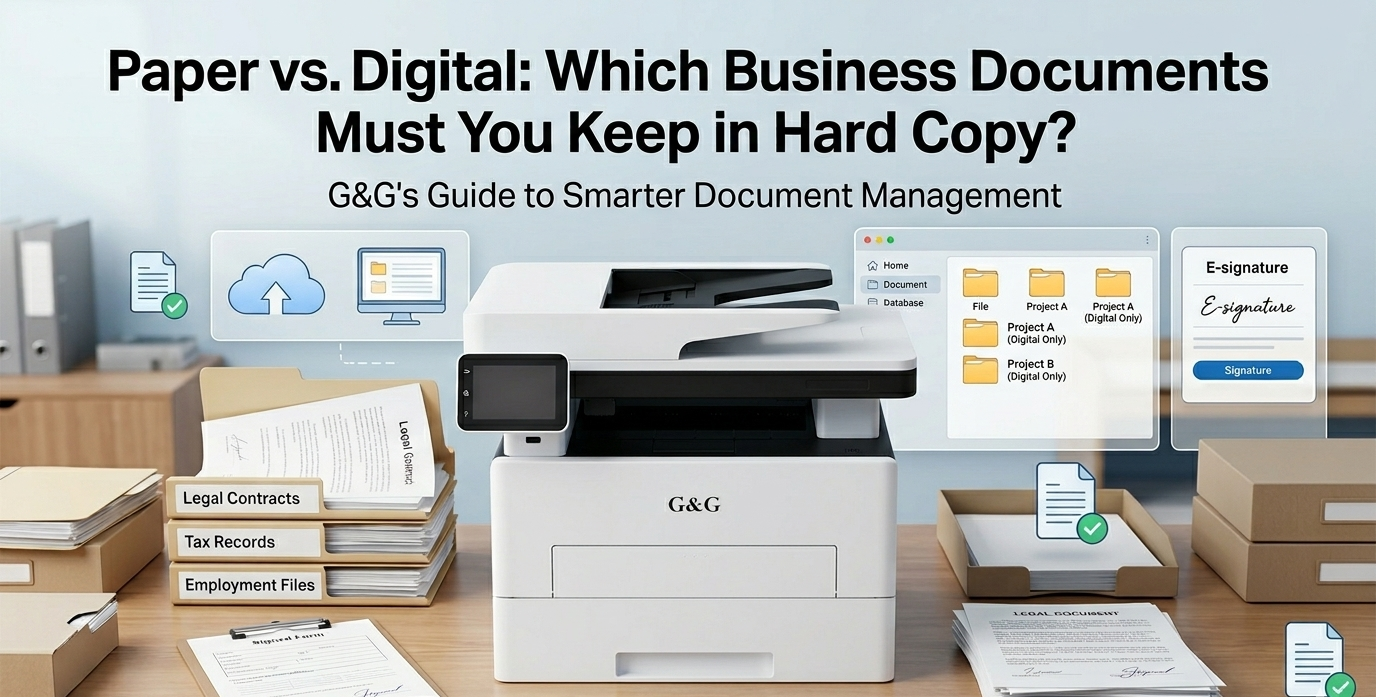
You can safely go paperless for about 90% of your workflow. You only need to keep hard copies of documents that have original hand-signed contracts, official government certificates (like your articles of incorporation or property deeds), and specific tax records that haven't been scanned into a secure, tax-compliant digital system.
For everything else—from those utility bills to general client emails that are kept couple of years—digital copies are not just "okay," they are actually safer and easier to manage.
When you do need to print document files that truly matter, using a reliable G&G mono laser printer ensures that those few essential hard copies are crisp, professional, and built to last for decades in your archives. But for the rest of your daily grind? It's time to break up with the filing cabinet.
What Can You Actually Keep Digital Copies
Most of those "just in case" papers are just taking up space. To truly go paperless, you have to stop treating every piece of printer paper like a sacred relic. If you have a digital backup that is organized and searchable, the physical version usually becomes redundant.
One of the most common questions we get is, "Can I finally throw away these boxes of receipts for decades?" The answer is a resounding yes—provided you have scanned them.
Tax authorities and modern accounting software now prioritize digital copies. Once you’ve captured a clear scan or photo of a receipt and uploaded it to your accounting software, that faded thermal paper is useless. In fact, digital versions are better because physical receipts fade over time until they are unreadable. If you haven't started yet, 2026 is the year to make "scan and shred" for your office .
There is zero need for paper keeping when it comes to internal memos, meeting minutes, or general check-ins with clients. Keeping these in a paperless digital format allows you to search for keywords in seconds, rather than flipping through a dusty binder. If it doesn’t have a legal signature or a raised seal, it probably doesn't need to be in a drawer.
When Is the Physical PageNecessary?
There are a few specific instances where hard copies aren't just a preference—they’re a safety net.
A common question from solopreneurs is: "Is an e-signature enough to make my client contracts legally binding?"
Usually, yes. For high-stakes agreements, deeds, or wills, many jurisdictions still prefer (or require) a "wet-ink" signature.
If a document was signed by hand with a pen, keep that original. If a legal dispute ever arises, having the original printer paper with the actual indentations of the pen can be vital for verification. For your standard monthly service peak, digital is fine. For the "big deals," keep the paper.
There are some things you simply cannot replace with a PDF. Documents with embossed seals, raised stamps, or special security paper—such as Articles of Incorporation, property titles, or original professional licenses—should always stay in your physical possession.
These are the "Gold Standard" of paper keeping. While you should definitely have digital copies of these for daily reference, the physical original is often required to prove your business’s existence or ownership during a bank loan application or a government audit.
Transitioning to a Paperless Office Without the Risk
Switching to a paperless office is exciting, but don't just throw everything into a scanner and hope for the best. You need a strategy to ensure your digital copies are just as valid and safe as the paper was.
A lot of small business owners take quick photos of documents with their phones. While that’s fine for a lunch receipt, it’s not great for a five-year contract. For important records, use a dedicated scanner or a high-quality scanning app that straightens the page and uses OCR (Optical Character Recognition).
OCR makes your text searchable. Instead of clicking through folders, you can just type "Client X 2024" and find the document instantly. It turns your digital pile into a smart library.
You don't have to go 100% digital overnight. In my experience, the most successful businesses use a hybrid strategy.
The Digital Cloud: 95% of your files (invoices, emails, drafts).
The Folder: A small, high-quality filing box for those hand-signed contracts.
To keep this system running, you still need a reliable partner. Even in a digital world, you will occasionally need to print document copies for a meeting or a physical signature. Using a GM3310DW Multifunction Laser Printer is perfect here because it produces sharp, archive-quality text that won't smudge or fade, ensuring your "hybrid" files stay readable for years.
Transitioning to a paperless workflow isn't just about clearing off your desk—it's about clearing your mind. When you stop worrying about "where that one piece of paper went" and start trusting your secure digital copies, you reclaim the energy you need to actually grow your business.
You don't have to throw everything away today. Start by shredding those receipts, scan your active files, and keep your laser printer standing by for the truly important stuff.