We’ve all been there: your printer starts flashing that dreaded low-ink light right when you need to print something important. Your first instinct is to grab the quickest replacement you can find, but hold on! Before you click "buy," you need to ensure ink fitness.
If you are looking for printers that don’t require ink subscription models, you are already halfway to a more budget-friendly lifestyle. These printers give you the freedom to choose high-quality, compatible printer ink instead of being locked into expensive monthly fees.
The Rule for Compatibility:
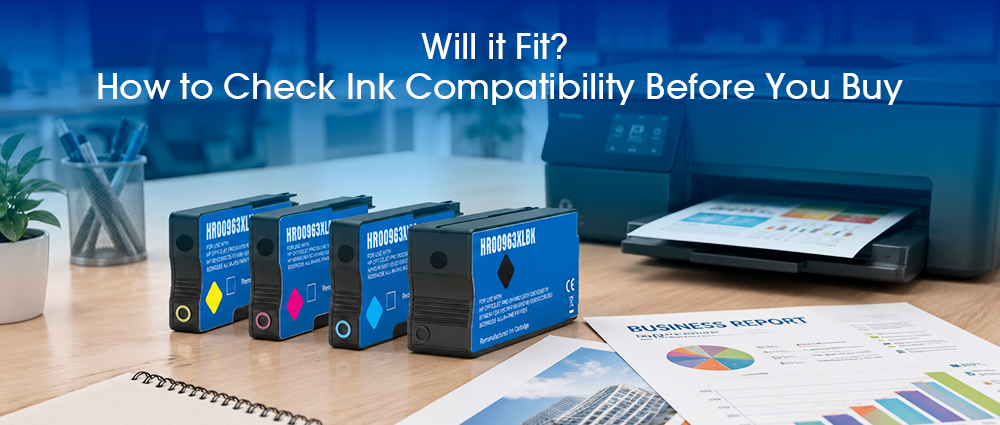
Always match the "Cartridge Number" (like 63, 245, or 902) rather than just looking at the printer's brand. Even if a cartridge looks like it will fit ink slots physically, it won’t work unless the internal chip talks to your printer correctly.
In this guide, we're going to show you exactly how to find that number and why choosing a premium compatible ink cartridge can give you the same professional results as the original brands, but for a much better price.
Identifying Specific Ink Requirements for Your Printer
Every printer has a profile that dictates exactly which fit ink it needs to produce those crisp documents.
Locating the Model Number vs. the Cartridge Series
While your printer has a name like "OfficeJet 1234", the most important thing for you to find is the ink cartridge compatible series number. You can usually find this by simply lifting the printer’s lid; most machines have a handy sticker inside that tells you exactly which compatible printer inks or OEM numbers you need. If the sticker is missing, check the front of your existing cartridges—that big, bold number is the reminder for ensuring ink fitness.
How to Verify Your Requirements Online and In-Store
If you’re shopping from your couch, don't just search for "ink for xxx printer." Instead, go to the official website or a trusted retailer and use their "Ink Finder" tool. By entering your specific model, you’ll be directed to the exact compatible printer ink cartridges designed for your machine. When you're in a physical store, keep your phone handy with a photo of your current cartridge. This ensures you don't accidentally buy a version meant for a different region, making sure the printer ink compatible cartridges you pick up will actually work the moment you click them into place.
What is Compatible Printer Ink?
Think of compatible printer ink like buying a high-quality "store brand" at the grocery store. It’s designed to do the exact same job as the original, but without the premium price tag. For a family on a budget or a student with a mountain of essays, these inks are the key to keeping costs low while keeping quality high.
A common misunderstanding is that ink cartridges compatible with your printer but made by a third party might harm the printer. That’s simply not true when you choose quality. These cartridges are designed to meet the same pressure and flow standards as the originals. By choosing high-standard printer ink compatible options, you’re not just saving money—you’re ensuring your printer stays healthy for years to come.
Can You Mix OEM and Compatible Cartridges?
One of the most frequent questions I get as a printer expert is: "Can I put a compatible ink cartridge next to an original one?" The short answer is yes, but there are a few insider tips you should know to keep your colors looking sharp and your printhead happy.
In almost all modern home printers, it is perfectly safe to use a premium compatible ink cartridge alongside an original (OEM) cartridge. Your printer won’t "reject" the team effort! For example, if your original yellow runs out first, you can swap it for a compatible printer ink version while keeping your original cyan and magenta in place. The printer treats each slot independently, so you can transition to budget-friendly options one color at a time.
Why Consistency in Printer Ink Compatible Cartridges Matters
While mixing is safe, I always recommend eventually moving toward a full set of the same brand for the best inked fitness. Different brands use slightly different chemical formulas for their compatible printer inks. If you mix different brands of the same color (like refilling a half-empty tank with a different ink type), you risk "sludge" or clogging.
By sticking with a consistent set of G&G ink compatible cartridges, you ensure the colors blend perfectly on the page, giving you those vibrant photos and professional documents you expect.
By taking just a few minutes to check your ink fitness, you can break free from the cycle of expensive brand-name replacements and restrictive monthly fees. Remember, identifying your specific requirements is as simple as checking the cartridge number and ensuring a proper fit ink match.
From school projects to business reports, the right printer ink compatible solution is waiting for you. Now that you know how to check for compatibility before you buy, you can enjoy crisp, clear prints and the peace of mind that comes with making a smart, professional choice.