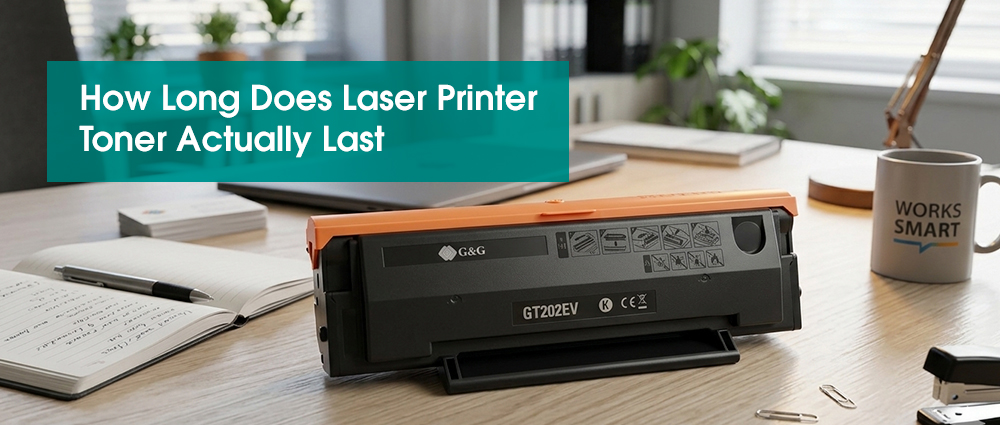
Most standard laser printer toner cartridges last between 2,000 and 3,000 pages, while high yield versions can reach 10,000+.
However, these numbers are based on printing simple text on only 5% of the page. If you print photos, heavy logos, or use bold fonts, your cartridge will likely run out 20% to 30% faster than the box says. To accurately predict your spend, you must track your "page coverage" rather than just counting the days.
Understanding Your Printer Toner Cartridge
If you are a freelancer trying to hit a deadline or an office manager balancing the quarterly budget, there is nothing more frustrating than that "Low Toner" light flashing when you’ve only had the cartridge for a month. You find yourself asking: Did I really use that much ink, or is the printer lying to me?
Understanding how long do toner cartridges last isn't just about the number on the packaging. It’s about how you print, what you print, and the quality of the laser printer toner cartridge you choose. In this guide, I’m going to pull back the curtain on how toner is consumed so you can stop guessing and start saving.
Why Your Estimate is Probably Wrong
When you buy a toner for laser printer use, you’ll see a "Page Yield" on the box—let’s say 2,500 pages. But here is the industry secret: that number is based on 5% page coverage.
Imagine a standard A4 sheet of paper. If you only typed a short, double-spaced letter with no bold headers and no images, that is 5% coverage.
What’s quietly draining your toner?
The Result: If your average page is 15% covered, that "2,500-page" cartridge will actually run out after only about 830 pages.
This is why your printer toner replacement feels like it's happening too soon. You aren't doing anything wrong; you're just printing real-world documents instead of laboratory test pages.
How to Accurately Predict Your Toner’s Expiration
To accurately predict how long do toner cartridges last in your office, look at your printer’s "Usage Page" (usually found in the settings menu). This report tells you your average page coverage.
The Simple Formula:Take the manufacturer's rated yield (e.g., 3,000 pages) and divide it by your actual coverage multiplier.
Example: If the box says 3,000 pages (at 5%) but your reports show you average 15% coverage, you are using 3x more toner per page. Simply divide 3,000 by 3. Your real-world yield is 1,000 pages.
By doing this quick bit of math, you can stop guessing when you'll need your next printer toner replacement and actually plan your supply orders before the "Empty" light stops your workflow.
Factors That Consume Your Toner Behind Your Back
It’s not just what you print; it’s how your printer lives. Several "silent" factors can shorten the life of your laser printer toner cartridge without you ever hitting the "Print" button.
Calibration Cycles: Every time you turn your printer on, it goes through a calibration. This uses a tiny bit of toner to ensure the rollers are ready. If you turn your printer off and on ten times a day, you’re wasting toner!
The Humidity Factor: High humidity can cause toner for laser printer use to "clump" or stick to the internal rollers unevenly. This leads to wasted toner and streaks, forcing you to reprint pages—effectively doubling your cost.
How to Print More From Your Laser Printer
If you want to stretch your laser printer toner cartridge to its absolute limit, a little maintenance goes a long way.
The "Low Toner" Shake: When your printer first says "Toner Low," don't run for a toner cartridge replacement immediately. Take the cartridge out, give it a gentle side-to-side shake, and put it back in. This shifts the remaining powder to the sensor, often giving you another 50 to 100 pages of perfect text.
Keep it Cool and Dry: Humidity and heat are the enemies of powder. dry cabinet to ensure it’s ready to perform the moment you need it. G&G's toner cartridges utilize specialized humidity and temperature chambers during their R&D process. G&G Image provides an OEM-equivalent experience without the risk of extraordinary failures.
Stop letting the "Low Toner" light catch you by surprise. Track your coverage, shake your cartridges, and budget with confidence!