Look around your workspace. Your lights adjust automatically, your thermostat knows when you walk into the room, and your cloud tools update instantly. Yet, when it’s time to print a crucial document, you are often met with a sudden paper jam, a mysterious error code.
Why is your printer still the dumbest device in your smart office—and how can AI actually fix it?
The Short Answer: By analyzing live data, predicting when supplies are low, and linking directly with your cloud workflows, AI eliminates the guesswork, automates troubleshooting, and ensures you never get stuck with a useless or broken cartridge in the middle of a workday.
For years, anyone using an office printer felt trapped in a loop of constant monitoring. Thankfully, the introduction of ai print technology changes everything.
When you pair an intelligent ai printer with smart software, the machine stops waiting for you to fix it. Instead, it works quietly in the background to streamline your day. By shifting to a smart printer, you aren't just buying hardware; you are adopting a system designed to print smart.
Let's look at how this shift is turning the most frustrating office printer into your most reliable asset.
How a Printer Gets “Smarter”
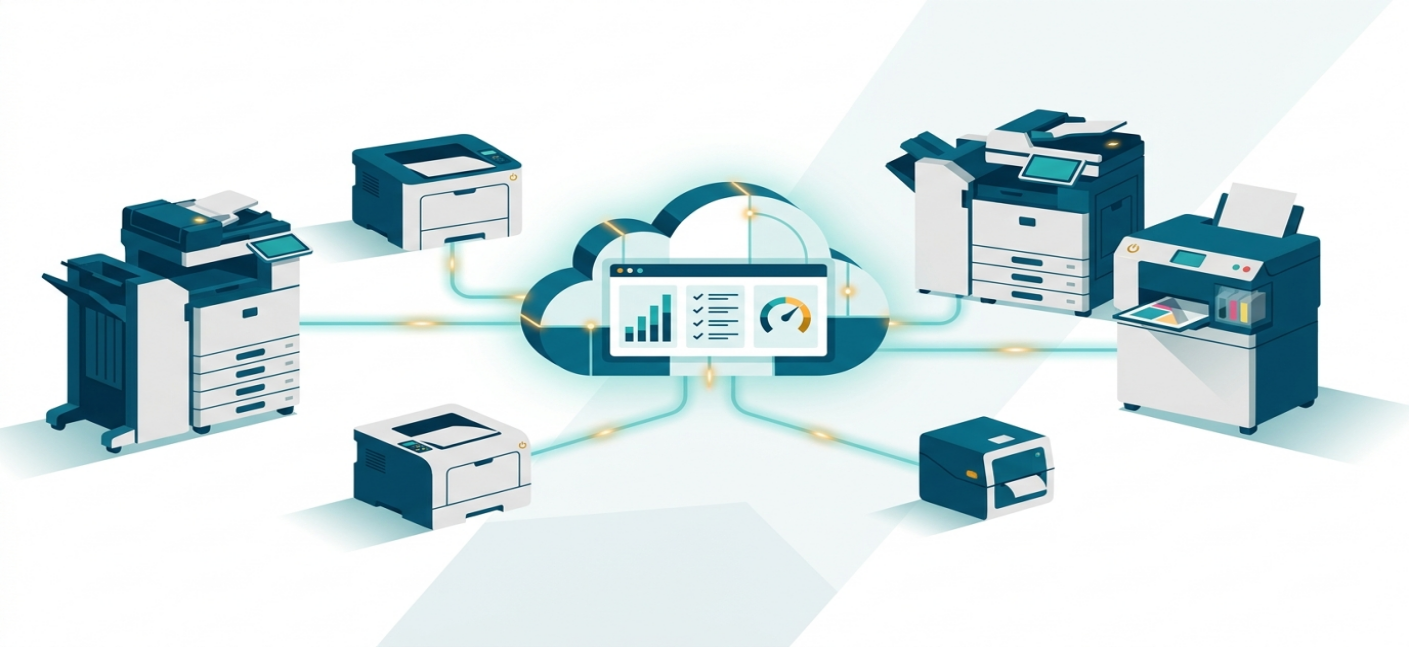
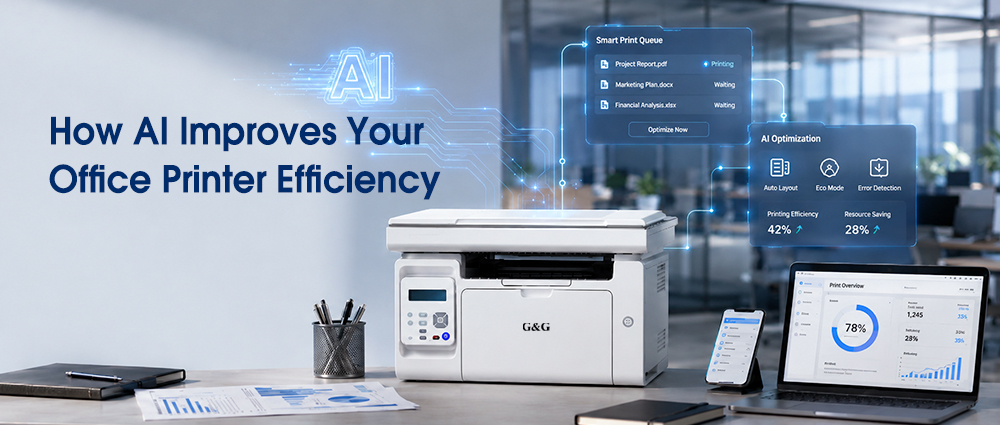
When we talk about ai efficiency, we are talking about constant, silent monitoring. An integrated ai print system works by treating your printer as part of a connected network. The printer uses built-in data sensors to watch how your office prints.
If you are a student printing text essays every Sunday night, or a small business manager running high-density image contracts on Monday mornings, the software notes those habits. It uses machine learning to adapt the printer's performance, adjusting internal heat settings and ink distribution to match your specific style. This ensures that every page comes out crisp without wasting a single drop of material.
When you combine a robust physical printer with smart algorithms, you get unmatched reliability. The device handles the heavy-duty printing work, while the internal smart systems optimize how the laser reads the page layout. This precision means less structural wear and tear on the printer, preventing early part failures and significantly extending the lifetime of your investment.
How AI Printing Fixing the Downtime
Reordering Refills Before You Run Out
Instead of simply flashing a generic "Low Toner" warning when you have exactly two pages left, an aiprint system tracks your exact physical print volumes over time.
It calculates your precise consumption rates and warns you weeks in advance when it’s truly time to order a replacement cartridge or plan a quick refill. For small business owners and families, this gives you plenty of time to find replacements online without rushing into a store purchase.
Automated Troubleshooting and Self-Repair Routines
We’ve all stood over a printer trying to figure out why a tiny red error light is blinking. A truly smart printing setup removes that frustration by featuring automated troubleshooting.
When an internal error is detected, the software instantly diagnoses the issue. If it's a minor alignment glitch or a software miscommunication, the printer can run an internal self-repair routine to recalibrate its gears or clear its data queue automatically.
Office 365 Workflow Automation & Cloud Printing
If you are running a small business, managing a chaotic office, or juggling family schedules, you know that printing is rarely just about putting ink on a page. It’s usually part of a bigger task—like invoicing a client, archiving a signed contract, or sharing a lesson plan.
Connected Ecosystems for Remote Workers and Students
When you switch to a smart print setup, it integrates cleanly with the cloud.
With advanced smart printing software, a remote worker sitting at a coffee shop or a student working in a library can securely send a document to the smart printer sitting back at the main office or in the living room. The file sits in a secure, encrypted digital queue and only physical prints out when the user arrives and safely authenticates at the machine. This completely removes the old roadblock of needing to be physically plugged into the same network just to get a clean page.
By pairing an intelligent printer with Microsoft cloud platforms, you unlock powerful office 365 workflow automation.
How AI Makes Your Office Printing More Efficient
AI-Driven Resource Allocation and Eco-Modes
Achieving true ai efficiency means tracking more than just ink levels; it means tracking your office habits. The software built into printing setups studies when your workspace is active.
If it notices that nobody prints anything past 6:00 PM or over the weekend, it automatically drops the machine into a deep, ultra-low-power sleep mode. The moment a user schedules a print job on Monday morning, the machine wakes up instantly. This intelligent scheduling gives you the high-speed performance of a commercial laser printer.
Protecting Sensitive Data at the Device Level
Printers are frequently the most overlooked security vulnerability in an office or home network. When you implement an aiprint infrastructure, security becomes automated.
The system can be set up to require a quick PIN code, an ID badge tap, or a mobile phone confirmation before it unrolls a print job. This ensures that sensitive medical records, private payroll sheets, or graded school exams never sit unattended in a public tray where the wrong eyes might see them.
There is no reason your printer should remain a frustrating relic of the past while the rest of your office sprints into the future. By choosing tools backed by ai efficiency, you are choosing to work smarter, stress less, and reclaim your valuable time.