Yes, printer ink expires due to chemical degradation and dries out when exposed to air.
But here’s the secret most experts miss: your ink cartridge is constantly "breathing." Even when sitting idle, microscopic air exchange through the plastic housing causes internal evaporation. This means your printer ink is drying out long before it reaches the nozzle. Whether you use a standard tank or a premium ink cartridge, the "will printer ink dry out" debate is actually a battle against your home's ambient humidity and chemical suspension stability.
Does Printer Ink Expire? Understanding the Date on the Box
Most users view the date on their packaging as a “must buy” designed by manufacturers. However, it’s all about pH stability and pigment suspension. Over time, the chemical stabilizers in an ink cartridge begin to break down, causing the microscopic pigments to "clump" together—a process called flocculation.
When you ask, "does printer ink expire?", you aren't just asking about the liquid’s ability to mark paper; you’re asking about the safety of your hardware. Using ink past its prime means these tiny clumps can act like sandpaper on your thermal print heads, causing permanent damage.
A high-quality ink cartridge is engineered with advanced chemical buffers to extend this window of stability, but no formula is immune to the laws of chemistry. Beyond the date, the liquid can become increasingly acidic, potentially corroding the delicate internal components of your inkjet system. Understanding this helps you realize that the expiration date is less of a suggestion and more of a insurance for your printer’s longevity.
Why Does Printer Ink Dry Out?
To understand why your printer ink dried out, you have to look at ink as more than just "colored water." It is a sophisticated suspension of pigments or dyes held within a volatile carrier fluid. The moment this carrier fluid is exposed to air, it begins to evaporate—this is by design, as it’s what allows the ink to dry instantly on your paper. However, if that evaporation happens inside the ink cartridge or at the nozzle tip, you're left with dry ink that acts like a structural plug.
Once the air gets in, the ink becomes an unstoppable chemical chain reaction. The surface tension of the liquid shifts, creating a hardened "skin" over the nozzle. This is why you might wonder, "will printer ink dry out even if I don't use it?" The answer is yes; it is a battle of atmospheric pressure and seal integrity.
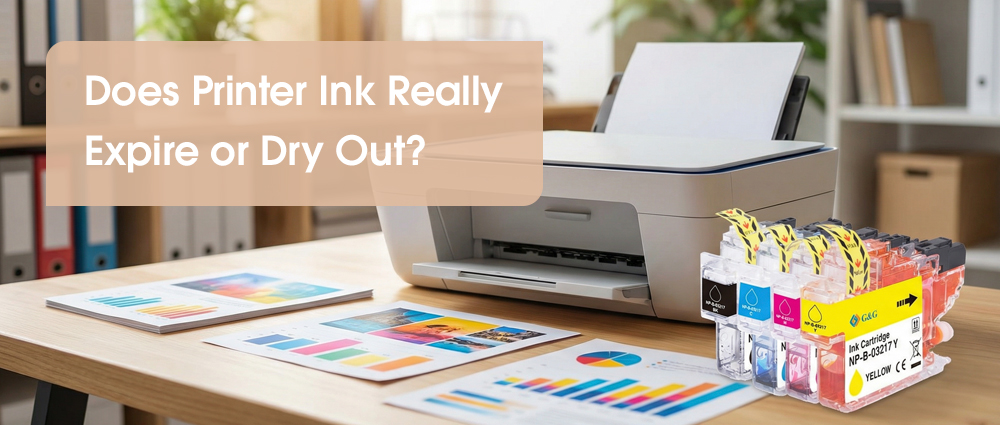
A G&G ink cartridge is specifically engineered with high-density capping compatibility to ensure that even during periods of inactivity, preventing printer ink dry issues before they start.
Can You Rescue a Dry Ink Cartridge?
If you try to print and the page comes out blank, usually, your ink cartridge isn't actually empty; the ink has just turned into a tiny, hard "plug" at the tip. When printer ink dried out, it’s like a straw with a piece of dried fruit stuck in the bottom—the liquid is still there, it just can't get out.
You can often save a dry ink cartridge with a water treatment. Take a paper towel and dampen it with warm (not boiling) water. Gently press the nozzle—the part where the ink comes out—against the warm towel for a minute. This softens the dry ink and helps the liquid flow again.
Avoid using harsh chemicals or rubbing alcohol, as these can ruin the delicate parts of your printer. If the clog is stubborn, try sitting the cartridge in a sealed plastic container with a warm, damp cloth for an hour.
How to Stop Your Ink from Drying Out
Stopping your ink from drying out is a lot like keeping a pen from drying up—you just need to use it! The best way to prevent your printer ink drying out is to print just one small page every week. Use all the colors in a small "test print." This keeps the liquid moving so it doesn't turn into dry ink inside the tiny nozzles.
Another pro tip that many people miss: Always use the power button on the printer to turn it off. Don't just pull the plug or use a power strip. When you press the official power button, the printer parks the ink cartridge in a special airtight dock that seals the nozzles. If you just cut the power, the cartridge stays out in the open air, and the printer ink drying out process starts immediately.
Lastly, think about where your printer lives. If it's sitting right next to a heater or in a sunny window, the heat will make the liquid disappear into thin air.
When it comes to your printer, not all ink is created equal. Many people buy the cheapest option only to find their printer ink dried out after just a week of not using it. That is because the "recipe" for the ink and the design of the shell matter immensely. G&G’s cartridge is built like a high-performance engine part. It uses a special ink formula that stays liquid longer and resists clumping, even if you don't print every day.
By keeping your printer away from heat and choosing a high-quality ink cartridge, you stop dry ink before it starts. Remember to print a small test page weekly to keep things moving. Don't let your ink cartridge go to waste—take these simple steps and get perfect prints every single time!