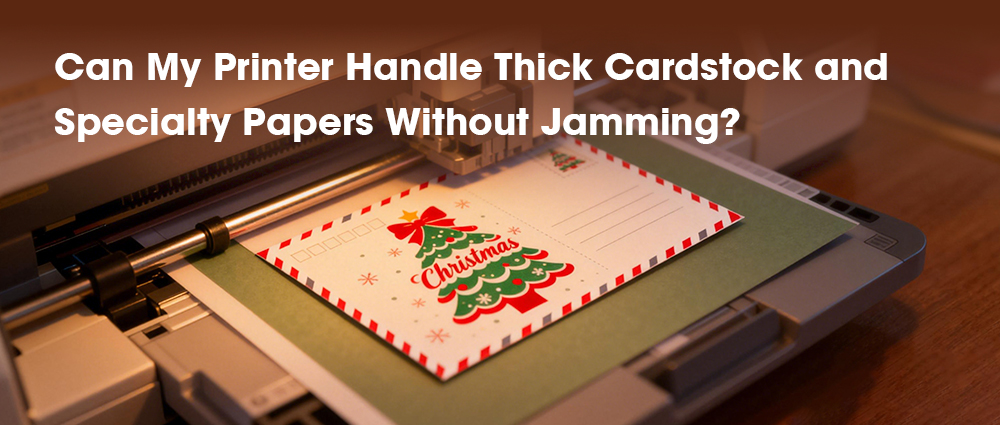
Yes, your home inkjet printer can likely handle thick cardstock and beautiful specialty papers for your holiday projects without jamming—if you know your printer's limits and follow a few key steps.
If you want to print Christmas cards at home on pretty glitter paper or thick cardstock, you may worry about paper jams, and that's smart. But the secret isn't buying a whole new printer. The real trick is just helping your printer do its job. It's like giving it clear instructions instead of just hoping for the best.
By following a few simple steps—like using the right tray and changing one setting on your computer—you can turn your regular DIY inkjet printer into a gift card printer for the holidays. No more guessing. This guide will show you exactly how to print your custom printed holiday cards without the jam.
Understanding Your Printer and Paper
Paper path
Most experts just tell you to "check the manual" for the maximum paper weight. But the real, seldom-discussed key isn't just a number—it's the physical journey the paper takes inside the printer. This journey determines whether you have a reliable printer for card paper or a jam-prone device.
Every printer has a paper path: the roller-coaster route paper follows from the tray to the output slot. Standard paper bends easily around these curves. Thick cardstock does not. Here’s the insider insight: printers with a straight, short paper path are your key for holiday card printing. This path minimizes sharp bends, allowing rigid cardstock to move through like a train on a straight track, drastically reducing jam risk.
Choose the right paper
Selecting your paper is where most holiday dreams hit a jam. The common advice is "check the GSM," but that's only half the battle. GSM (grams per square meter) measures weight, but it’s the paper's combination of thickness, coating, and finish that sends the right or wrong signals to your printer's sensors.
Weight: Your home printer likely handles 200-300 GSM seamlessly via the manual feed.
Thickness: A densely packed 300 GSM paper might be thinner and feed better than a fluffy, fibrous 260 GSM sheet.
Coating: If you can, feel the stack. Better yet, many craft stores have sample swatches. Your printer's rollers need to grip and bend the sheet; if it feels like a rigid poster board, it's a risk.
Now, for the festive finishes:
Glitter & Metallic: The jam risk here isn't thickness—it's shedding and coating. Loose glitter granules act like sand in the printer's gears. Always look for "primer-coated" or "laser/inkjet-safe" glitter paper, where the glitter is sealed under a smooth, printable layer.
Linen & Felted: These textured papers are often forgiving because their fibrous, porous structure grips rollers well. The unique concern is ink absorption. Use your printer's "Premium Matte" or "Cardstock" setting to dispense the right ink amount, preventing bleed on the textured surface.
What to Do If a Jam Happens
A jam with specialty paper is not a dead end. The unique insight here is that a jam is often a communication error, not a printer failure. Your machine's sensors detected an unexpected resistance—likely a sharp bend or a stubborn coating—and shut down to protect itself. Your job is to reset calmly and safely.
1. The Full Power Cycle: More Than Just "Off." Don't just hit the power button. Turn the printer off, unplug it from the wall, and if it has a battery backup, remove it. This is critical. It completely resets all motors and rollers, often loosening a lightly stuck sheet.
2. The Directional Guide: Follow the Arrows and open all access doors. Look for tiny directional arrows printed inside the chassis—these map the official paper path. Gently remove any visible paper in the direction of those arrows. If the sheet is trapped deep, use your printer's internal roller release levers to gently create slack.
3. The Debris Hunt: Once the paper is out, use a small flashlight to inspect for nearly-invisible fragments: a sliver of glitter, a fleck of linen fiber, or a corner of cardstock. These tiny remnants are future jam seeds.
Often, recurring jams stem from a less obvious reason: inconsistent ink flow. Poor-quality or drying ink can cause the printhead to drag on paper or create excess residue on rollers. This is where using reliable, high-quality ink like G&G ink cartridges makes a tangible difference. G&G ink cartridges are engineered for consistent viscosity and rapid drying, which helps prevent the smudging and buildup that can interfere with paper movement. After clearing a jam, ensure your printing foundation is solid with ink that performs as reliably as your newfound paper-handling skills.
This holiday season, your greatest tool isn't just the printer, but the newfound understanding of how it works. No longer limited by the dreaded jam, you’re free to experiment with rich linen, festive glitter, and heavyweight cardstock. You’re not just printing Christmas cards at home; you’re crafting tangible memories with precision and care. So load that single sheet of spectacular paper, select your manual feed, and press print. Your DIY inkjet printer is ready.